
Google offers a free tool that shows exactly how a website appears in its search results, which pages it has found and indexed, what customers type into Google to find the business and whether any technical problems are stopping the site from ranking well. That tool is Google Search Console, and most Central Coast small business owners have never looked at it. For any business that wants to understand and improve how its website performs in search, Google Search Console is one of the most practical starting points available.
What Is Google Search Console?
Google Search Console is a free web-based service that gives website owners direct insight into how Google sees and interacts with their site. According to Google’s own documentation on Search Console, the tool helps business owners monitor site health, understand search performance, identify technical issues and make informed decisions about how the site appears in Google Search results.
Unlike many SEO tools that cost hundreds of dollars per month, Search Console costs nothing. A business simply needs a Google account, access to the website and a few minutes to complete a one-time verification process. Once verified, the dashboard begins collecting data about how the website performs in Google Search, usually within a few days.
The tool is designed for everyone from web developers through to business owners with no technical background. Even a Central Coast plumber who just wants to know whether customers can find their website on Google will find Search Console useful once they understand what they are looking at.
How Does Google Search Console Differ from Google Analytics?
A common point of confusion is the difference between Google Search Console and Google Analytics. Both tools are free, both come from Google and both provide useful data. However, they measure entirely different things.
Google Analytics tracks what happens after a visitor arrives on the website. It shows how long visitors stayed, which pages they visited, how many people completed a contact form and where visitors came from. In contrast, Google Search Console focuses on what happens before the click. It shows how the website appears in Google search results, which search terms triggered the site to show up, how many people saw the listing and how many actually clicked through.
For Central Coast business owners, both tools are worth using. However, Search Console is often the better starting point because it answers the most fundamental question first: whether the site is visible in search at all.
What Can Google Search Console Tell a Small Business Owner?
In plain English, Google Search Console answers the questions that matter most for a small business trying to attract local customers through organic search.
What People Are Searching to Find the Website
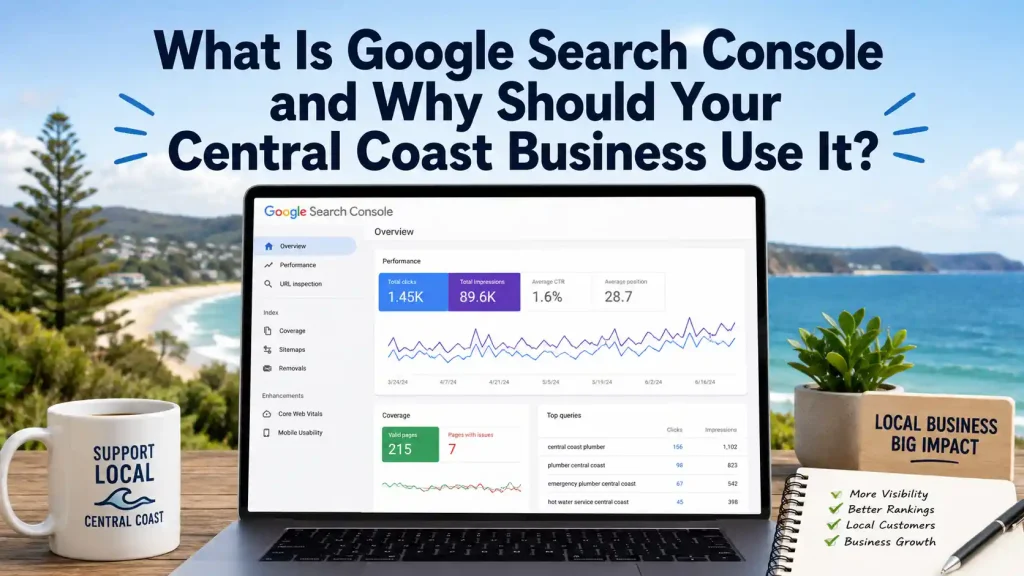
The Performance report inside Search Console shows the exact search terms people are typing into Google before clicking through to the website. For a Central Coast business, this often reveals useful surprises. Some searches that bring visitors to the site may not match what the business assumed customers searched for. Others may show that the site is appearing for searches but in a low position that rarely earns a click. This data helps inform decisions about website content, page titles, service descriptions and the overall direction of the Branding and Logo Design and digital presence the business projects online.
Whether Google Is Indexing Key Pages
Search Console shows which pages on the website Google has discovered and added to its index. If an important service page is missing from that list, it will not appear in search results at all. Common reasons include accidental settings that block crawling, pages marked as “noindex” or technical errors that prevent Google from accessing the content. Without Search Console, a business would have no way of knowing those pages are effectively invisible to anyone searching on Google.
Technical Issues and Page Experience
Search Console also flags technical problems that affect how the site performs in search. Core Web Vitals reports show how fast pages load and how stable they appear on mobile devices. Coverage reports highlight pages with errors that need attention. As Ahrefs notes in its comprehensive Search Console guide, using the tool to find and fix technical errors is one of the highest-value activities for improving a website’s search performance without spending extra money.
Why Every Central Coast Small Business Should Use Google Search Console
For any Central Coast business that relies on customers finding its website through Google, Search Console provides the clearest possible picture of what is working and what is not. The tool costs nothing and requires no technical expertise to use at a basic level. Even checking it once a month to review search query data and scan for any flagged errors delivers meaningful insight that most competitors are not gathering.
Beyond the performance data, Search Console also sends automatic email alerts if Google detects problems with the site, including security issues, manual penalties or sudden drops in indexed pages. For a small business without a dedicated IT team, those alerts act as an early warning system that catches serious problems before they cause lasting damage to search visibility.
Furthermore, the search query data inside Search Console feeds directly into smarter content decisions. When a business can see exactly what local customers are typing into Google, it can create website copy, blog posts and service descriptions that match those real searches rather than guessing. That kind of informed approach consistently outperforms a set-and-forget website that never gets reviewed.
How to Set Up Google Search Console
Setting up Google Search Console takes less than fifteen minutes. The process starts by visiting search.google.com/search-console, signing in with a Google account and entering the website URL. Google then asks the business to verify ownership, which proves the person setting up the account actually controls the site. Several verification methods are available, including adding a small piece of code to the website or updating the domain’s DNS settings through the hosting account.
For WordPress websites, the process is simpler. The Google Site Kit plugin connects the website to Search Console automatically, handling verification without requiring manual code changes. Once the account is active, data starts appearing within a few days. From that point, a monthly check of the Performance report and Coverage section gives most Central Coast small business owners enough information to make informed decisions about the site. Significant issues, such as a drop in indexed pages or a security flag, also trigger automatic email alerts from Google, so there is no need to monitor the tool daily to stay across problems.
Get Expert Help Building a Website That Performs in Search
Understanding how a website performs in Google Search is one piece of a larger picture. Beyond what Search Console reveals, there are often practical improvements worth making: clearer page structure, stronger service descriptions, faster load times and a design that builds immediate trust when a visitor arrives from search. Each of those elements works together to turn search visibility into actual enquiries.
Website Guy has been helping Central Coast businesses build and improve websites since 2004. The team understands how Google indexes local sites, what customers in this region search for and how to build a website that performs well in both search results and real-world conversions. Browse recent projects to see examples of Central Coast websites built with search performance in mind, or read other helpful guides on the Website Guy blog.
Call (02) 4329 2814 or reach out via the contact page to discuss what more the website could be doing.

